Connect your lead sources and buyers
Receive leads from your existing sources by API or webhook. Map the fields your buyers need and connect the validation services you use.
No credit card required.
Choose how to connect
API and webhooks
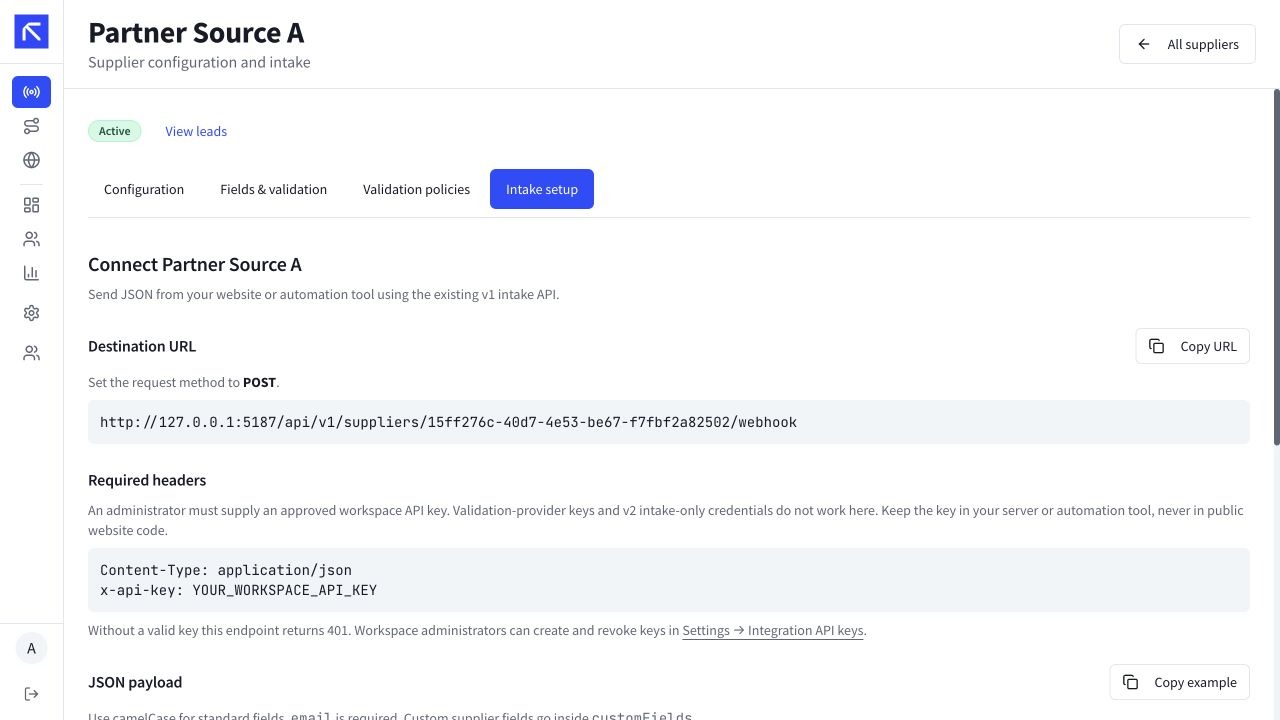
Connect a supplier’s server or automation. Map incoming fields and submit a test lead before switching traffic.
Buyer endpoints
Set the request, field mapping and expected response. Check that the buyer’s receiving API accepts your test lead.
Your provider accounts
Connect ZeroBounce or NeverBounce for email, Twilio, Numverify or IPQS for phone, Google for addresses, and IPQS or MaxMind for IP fraud checks. Providers bill their usage separately.
MCP pilot
Connect Codex or Claude Code where the pilot is enabled. Grant campaign creation and buyer order permissions separately.
Start with one test request
Use the supplier setup guide to check the endpoint, required fields and authentication. Confirm the result before turning on a source.
Check the connection before sending live leads
Start with one supplier and one buyer endpoint.
No credit card required.