LeadRoute vs Databowl
Compare how each platform handles a buyer with different targeting rules, separate caps and repeat orders.
No credit card required.
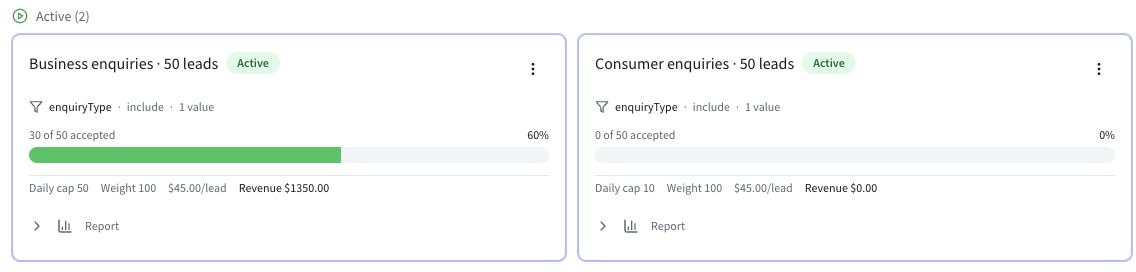
Two active orders for the same buyer
Compare the work you do every day
Use the same buyer, targeting criteria and repeat order in both demos.
| Workflow | LeadRoute | Databowl |
|---|---|---|
| Order targeting | Give each active order its own targeting and cap, even for the same buyer. | Databowl documents routing rules and custom caps. Ask how it sets up several capped orders for one buyer. |
| Repeat orders | Copy the current order and queue a fresh allowance behind it. | Ask how a repeat batch starts once the original cap fills. |
| Validation | Set workspace defaults and supplier overrides for provider results. | Campaign rules can flag or reject leads. Databowl also documents quarantine. |
| Delivery trace | See the supplier, route, matched order and receiver result in the decision trace. | Databowl documents mapped forwarding responses, rejected outcomes and ping trees. |
| Other tools | Manage lead intake, validation, orders and delivery. | Databowl also offers hosted landing pages and tracking on its Generation plan. |
Sources checked 13 November 2026.
When to choose LeadRoute
LeadRoute fits teams that regularly turn buyer requirements into capped orders and queue repeat batches. If hosted landing pages or campaign tracking are part of the job, include Databowl’s Generation tools in your evaluation.
Try both platforms with the same order
Build an order, queue a reorder and inspect a delivery decision.
No credit card required.